

What's New in Mapzest 2.3
This update is about scale and growth - a user interface shake-up, the What's On guide on the map, Spotify-style share posters, a new map selector and kiosks. Here's what's new in Mapzest 2.3 and what it means for you.
This update is about scale and growth
Read on to find out what's new in Mapzest 2.3 and what it means for you.
When we started developing Mapzest, our goal was to build a destination marketing platform that would eventually become the best solution available on the market. These things don't happen overnight, but we continue to drive towards it and we're making huge leaps in realising that goal.
We've been busy adding lots of great features to prepare Mapzest for its next phase of life, including a user interface shake-up, a big kiosk update and more marketing channels for our users to leverage.
Let's begin.
Where has the navigation bar gone?
My Content now lives under your profile button
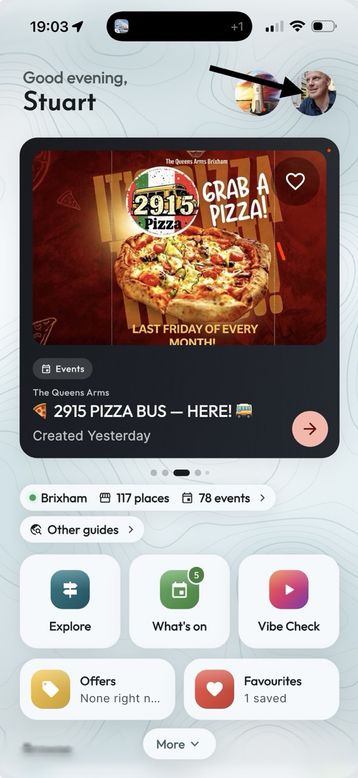
The first thing you'll be wondering is where the app's bottom navigation bar has gone. We don't actually need it anymore. Most of the app's usage is on the map page, especially now that we've consolidated a lot of functionality into that same page, so a navigation bar just gets in the way without giving any real benefit - so it's gone. So how do you get to My Content, which used to be in that menu? It's now under the user button at the top right of the main screen. As you'll see in the screenshot, you can also add your own profile picture if you want.
A refreshed Home page
We've overhauled how the Home page looks and added some extras, such as how many listings are on the map and how many events are coming up. Stats help our guides grow, especially the ones we class as developing, which are not yet live. Remember to spread the word and encourage businesses to sign up - in most cases it's free for them to use. The more listings and events, the more users, and that benefits everyone.
On the Home page you'll also now find a category strip that lets you jump straight into the map showing only that category, and a Near you section showing the listings closest to your current location.
The Map page
Now home to the What's On guide
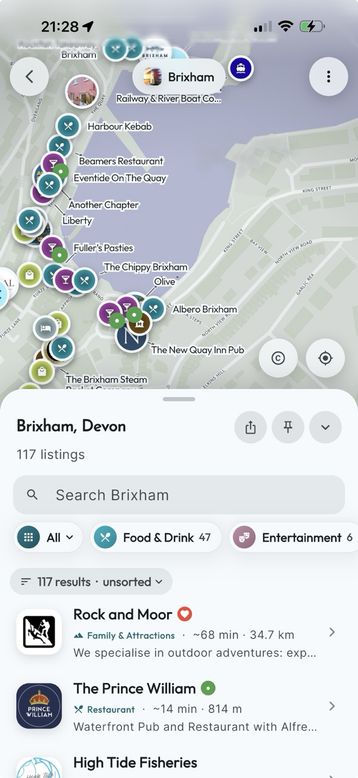
We wanted to keep the map available while you're doing pretty much everything in the app, because it's really helpful to see where an event is, not just what it is - and that applies to most things. If you choose to hide your location on your listing, don't worry, it won't disclose where you are; you'll still appear in the listings, just without a map marker. We now show listings rather than the old-style carousel. This is much easier to browse, can be sorted, and is easily filtered with the category strip and search bar. To view events, tap All and select Events - it shows all of today's events, in the list and on the map, and you can easily move to other days from there too. If you get yourself in a mess with search terms, filters and sorting, simply tap the Reset button at the top of the page to put everything back to the defaults.
Sharing
You've created an event in Mapzest - now share it!
In lots of places in the app you'll now see a share button, sometimes tucked away in a More menu. If you're viewing a listing with events, you can choose to share the listing or its upcoming events. You can even style what you post - it's a bit like the share feature in Spotify.
Here are some examples of the different things you can post, depending on what you're looking at. Mañana has several upcoming events, and you can see three different posters that Mapzest has automatically generated for sharing - one shows the venue, one shows the next few upcoming events and the other is an event card. These can be posted straight to Facebook Stories and Instagram Stories, or anywhere else from the share options.
Three posters from one listing
Tap any image to see it full size
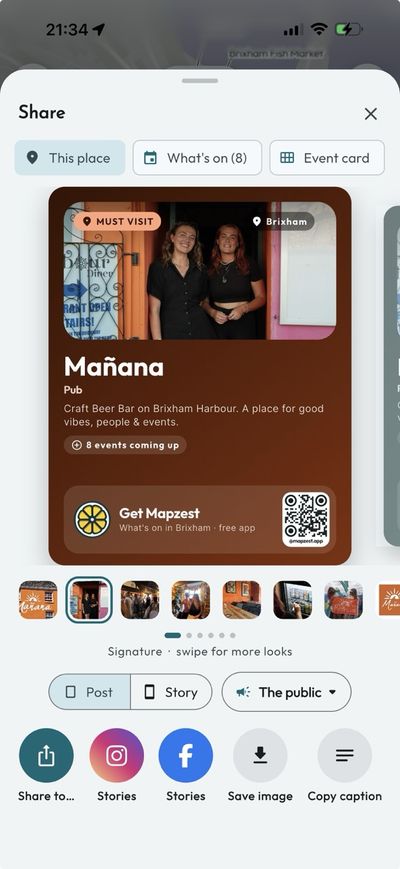
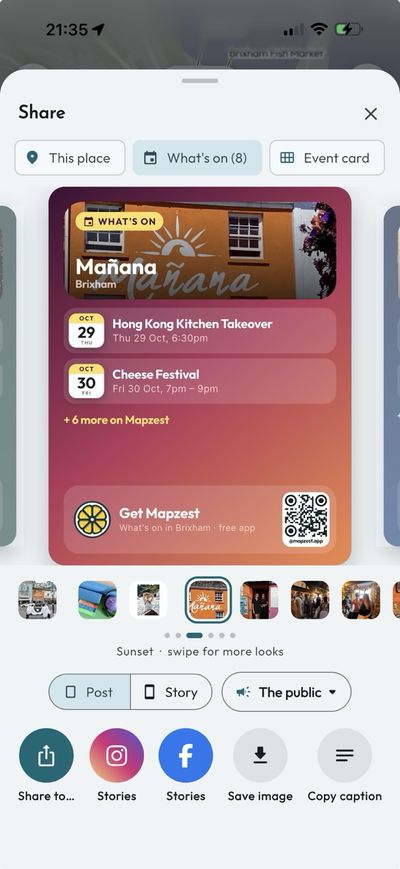
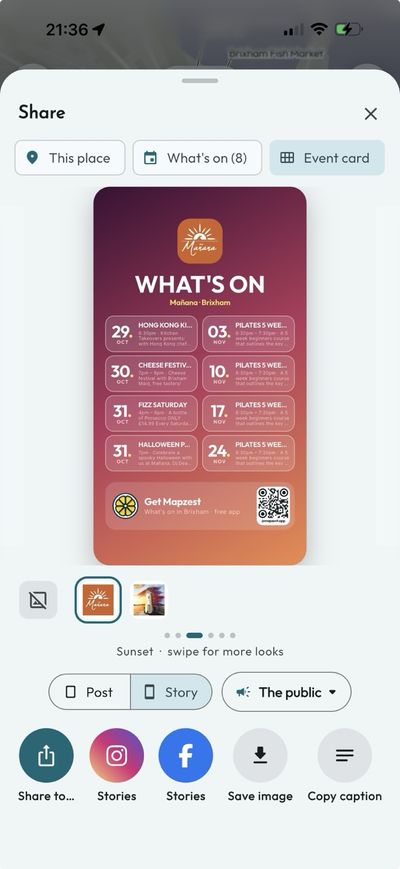
This new share feature opens up another easy channel for promoting yourself. By creating and managing one listing, you get distributed across the app, kiosks, the web, Facebook and Instagram - and you also get your own bio page with a QR code - all from that one listing.
The Map Selector page
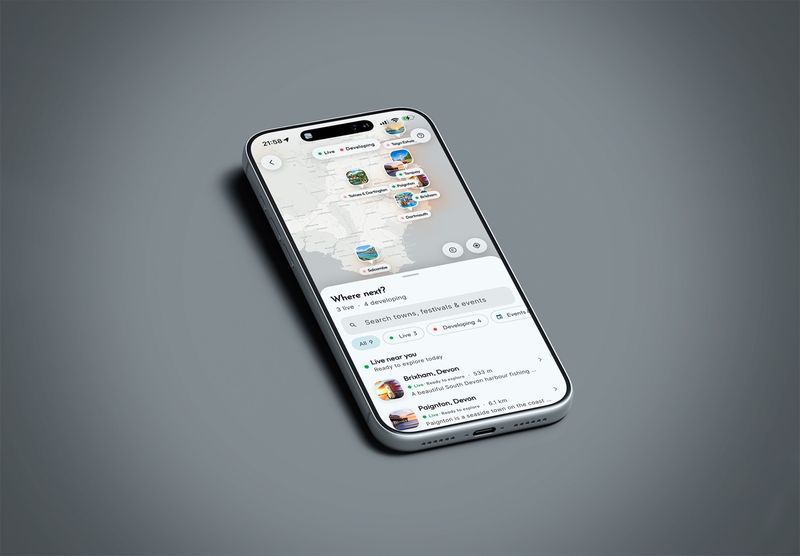
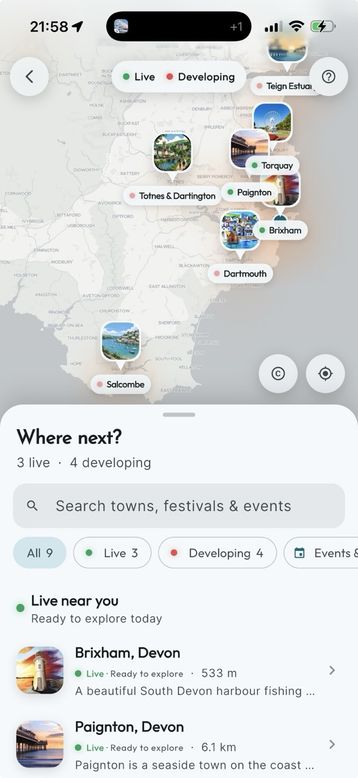
See where Mapzest is live, and where it's growing
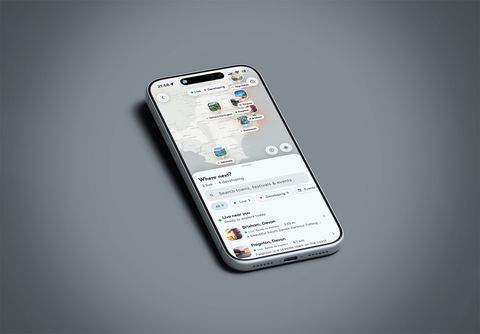
Previously this page just listed the available maps. Now we plot them on a map, show examples of what each map contains and show the stats, encouraging businesses to sign up and help grow Mapzest. In return, we promote those businesses across many marketing channels.
Kiosks
Yes, these are now available
Our kiosks come in all sorts of sizes and can be configured to show just your content, or a collection of people's content. If you've added all of your upcoming events, you can display them on a screen at your venue. If your building houses several businesses, a kiosk can be configured to display content from only those businesses.
Get in contact to find out more about kiosks.
Ask about kiosksBuilt to scale
The majority of these enhancements are there to help Mapzest scale, which is of huge benefit to the businesses that list on the platform and to its users. We hope you enjoy these new features - and remember to share EVERYTHING!
There's more, but we're going to save that for another day.
Get Mapzest 2.3