

Apps & Kiosks for Shows and Exhibitions.
Mapzest gives your show or exhibition an interactive digital layer - the venue, the floor plan, every exhibitor and every session, in visitors' pockets and on touchscreens around your event.
The Official App of the West Country Business Show
Proven on real show floors, with real exhibitors
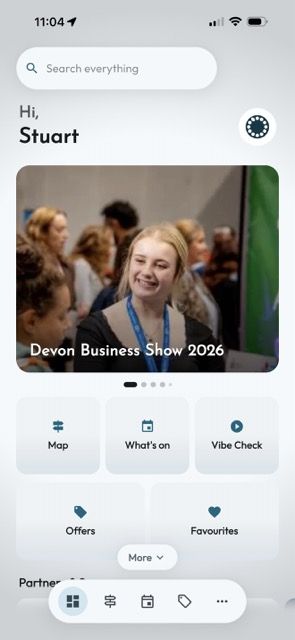
The West Country Business Show chose Mapzest as its official event app for 2026, putting more than 120 exhibitors and 25 talks and seminars across the Keynote Theatre and three seminar halls on a live, searchable floor plan of Westpoint Arena. Devon Business Show 2026 took its 100-plus exhibitors, live podcast line-up and venue information to Mapzest too. Both started with the things every show already has - a floor plan, an exhibitor list and a programme - and both are shown throughout this page, so what you see here is the real thing, not a mock-up.
See How We Built It
From the Front Door to the Exact Stand
An exhibition guide that lives on a real map, not in a PDF
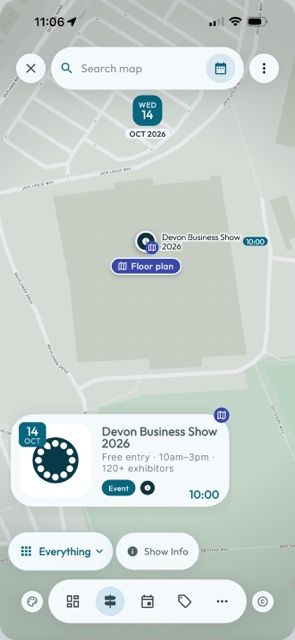
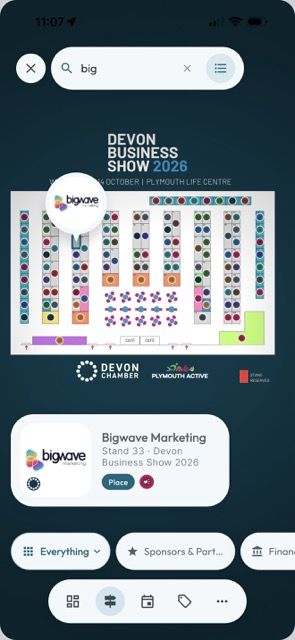
Visitors start where they always start - outside, on a real map of the area, with your venue marked and the essentials to hand: parking, entrances and opening times. One tap takes them inside, where the street map gives way to your own floor plan, with every exhibitor sitting on their own stand wearing their own logo. Search by name, by what they do or by stand number, filter the hall by sector, and tap through to any exhibitor for who they are, what they offer and how to get in touch. It's one continuous experience, from planning the journey to finding the stand, instead of a printed plan that's out of date by the time the doors open.
Every Venue, Every Hall, Every Floor
Multiple locations on one map, each with spaces visitors can step inside
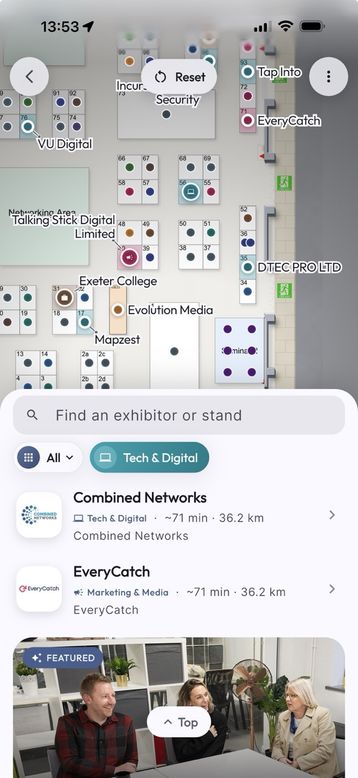
Not every show fits under one roof. Mapzest can place as many event locations as you need on the same map - a main exhibition hall, a conference centre across the road, a marquee in the grounds, a separate venue for the evening reception - and each one can open into its own event space. Spaces can have multiple levels, so a ground-floor hall, a mezzanine of seminar rooms and an upper-floor networking lounge each get their own plan, with stands, rooms and features marked exactly where they are. Exhibitors can be coloured by what they do, and their names appear as visitors zoom in, arranging themselves so they never pile on top of one another. And the plan can be any image you like - your organiser's official layout, an architect's drawing or an illustrated map in your show's own style.
Your Exhibitor List, Ready in a Fraction of the Time
Imported in bulk from the list you already have, or added one by one
Every show already has an exhibitor list - names, stand numbers, categories, maybe logos and descriptions. Hand it to us as a spreadsheet and the whole hall can be imported in one go, with each exhibitor placed on their stand and given a page of their own. Prefer to build it up gradually, or have a few late bookings? Exhibitors can be added and edited manually at any time, either by your team or by each exhibitor managing their own listing. Change a stand or swap an exhibitor and it's live for every visitor straight away, with nothing to reprint and no out-of-date copies doing the rounds.
One Profile, Every Show
Exhibitors build their page once and take it from one exhibition to the next
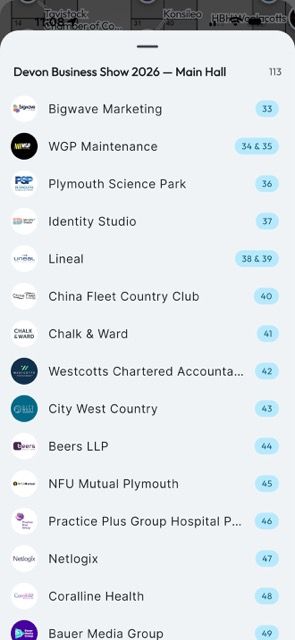
Most exhibitors do more than one show a year, and most event apps make them start from scratch every time. On Mapzest, a business has a single profile that can appear on as many show maps as it exhibits at. Its logo, description, images, website and contact details all live in one place, so an update made once is right at every show it's on. Each show still keeps what's its own - the stand on your floor plan and the categories in your filters - and the profile itself carries no other show's name or stand number, so visitors only ever see your event. For you, that means less chasing: a business already on Mapzest arrives with a complete, ready-to-go page, and every show that joins adds to a network of exhibitors your next event can draw on.

Talks, Speakers, Workshops and Sessions on One Schedule
Anything with a start time belongs in your show's programme
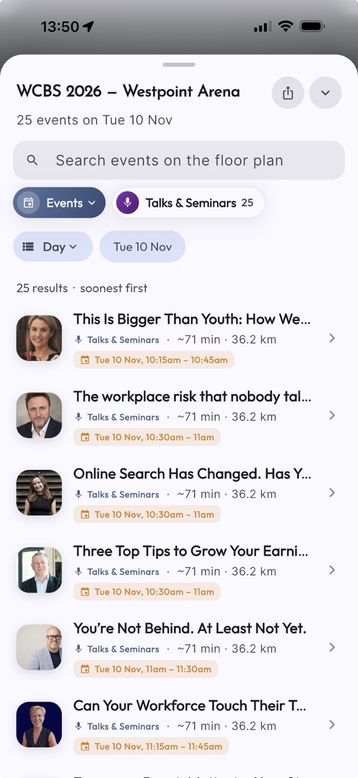
Keynotes, panel discussions, live demos, workshops, seminars, product launches, networking breakfasts, awards - if it happens at a set time, it goes on the schedule. Each session gets its own page with its times, location, description and speakers, and it sits on the floor plan in the room or theatre where it takes place. Visitors browse the whole programme by day and time, see what's on right now, and walk straight to the right room. For multi-day shows, the schedule moves through each day of the event, so nobody is left reading Tuesday's line-up on a Thursday.
The Next Talk, Right Above the Stage
Speakers and exhibitors joined up, so one conversation leads to the next
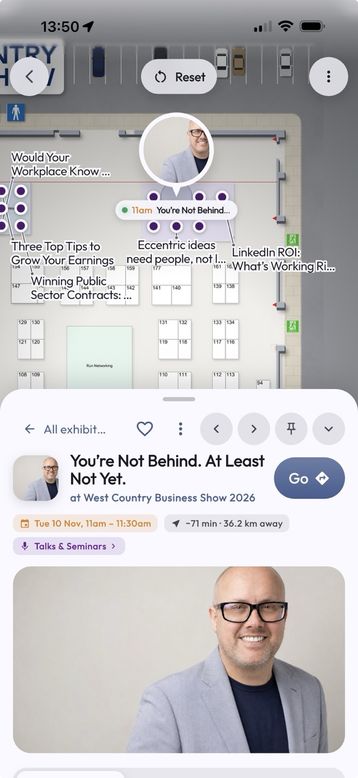
Sessions sit inside the theatres where they happen, and the next one up is highlighted above the stage with its speaker's photo and start time - so a quick glance at a phone shows what's on now and what's coming next. Plenty of speakers are exhibiting too, and Mapzest links the two together: a talk shows the speaker's own business alongside it, and that business is a tap away from its stand on the plan. If a session sparks an idea, your visitors don't need to queue at the front afterwards or hunt for a business card. They can walk over to the stand and pick up the conversation there.
A Personal Itinerary for Every Visitor
Plan ahead before the show, follow up long after it
Every exhibitor and every session has a heart. Visitors tap it on the stands they want to see and the talks they don't want to miss, and those favourites collect together into their own itinerary - no sign-up form, no spreadsheet, no folded-up programme. Built on the journey in, it gives them a plan for the day; built as they walk round, it becomes a shortlist of everyone worth following up with. And because every exhibitor keeps their page, website and contact details after the event, the conversations that started on the show floor don't end when the stands come down.
A Home Screen That Belongs to Your Show
Pride of place for sponsors, and a live view of what's changed
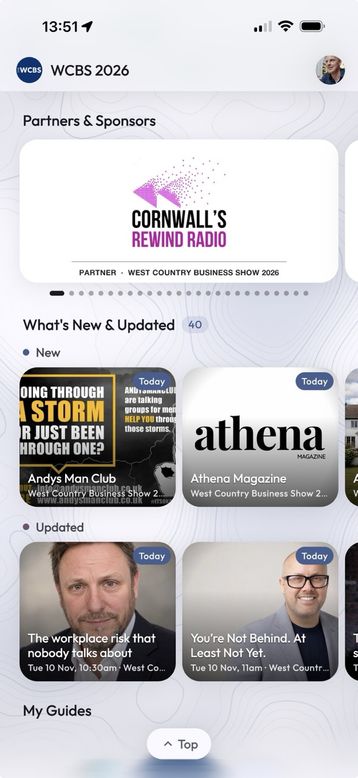
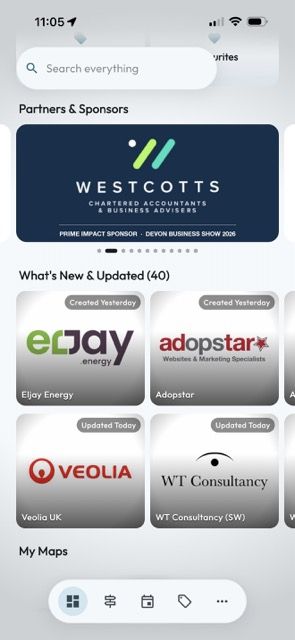
Open your show in Mapzest and the first thing visitors see is your event - your partners and sponsors in a swipeable carousel at the very top, followed by a What's New & Updated panel showing exactly which exhibitors and talks have been added or changed, and when. It gives you something genuinely valuable to offer sponsors: their brand at the front of the guide every visitor opens, for far longer than a banner by the door. And it keeps visitors confident they're looking at the latest information, right up to the moment the doors open.
Your Speakers and Exhibitors Become Your Marketing Team
A ready-made share poster for every talk and exhibitor
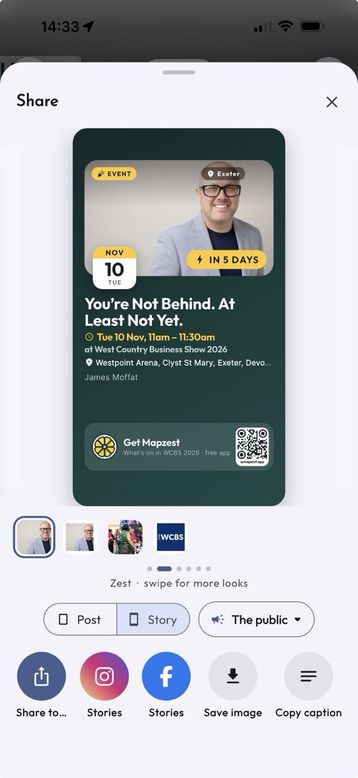
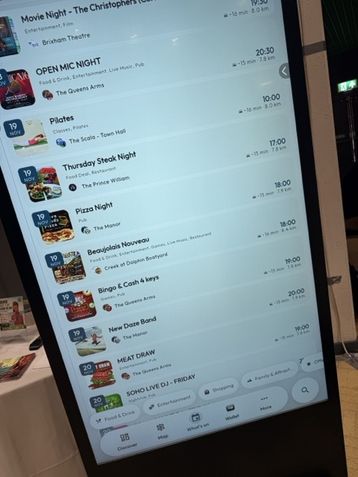
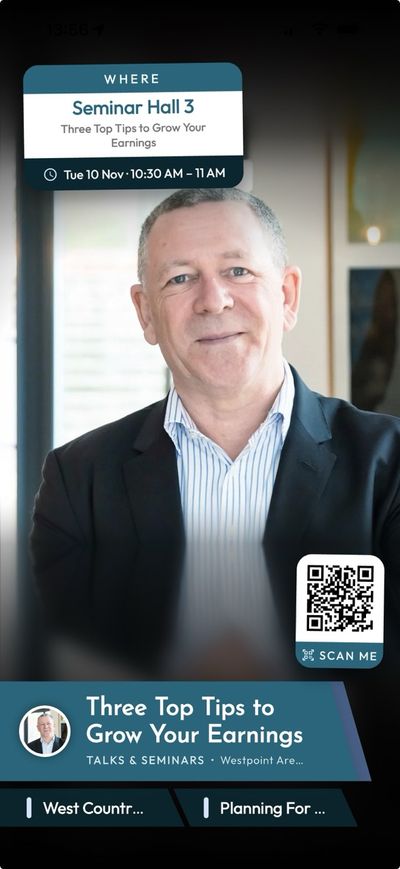
The people who do the most to fill a show are often the speakers and exhibitors themselves, so Mapzest gives them something worth sharing. Tap share on any talk or exhibitor and a poster is built automatically - the title, date and time, a countdown to the day, your show and venue, and a QR code so anyone who sees it can pick up the guide for free. They can swipe for different looks, choose which photo leads and pick a Story or a feed Post, then send it straight to Instagram or Facebook Stories, save the image or copy a ready-written caption. It takes a couple of taps, costs you nothing to produce, and every share puts your show in front of a new audience.
Show Visitors the Best of the Area Around You
Optional - put local hotels, restaurants, bars and entertainment on the same map
A show doesn't stop at the venue door. Exhibitors need somewhere to stay, visitors need somewhere to eat, and plenty of people are looking for somewhere to go once the hall closes. If you'd like to, your show's map can also feature the hotels, restaurants, cafes, bars, nightlife and entertainment around the venue, alongside practical extras like park and ride, overflow parking and taxi ranks. It's a chance to look after visitors from the moment they set off until the moment they head home - and a chance for local businesses to be seen by hundreds or thousands of people who are, for a few days, right on their doorstep. Prefer to keep the focus purely on the show? Simply leave it out.
In Their Pocket, and on the Show Floor
The mobile app and interactive kiosks working together
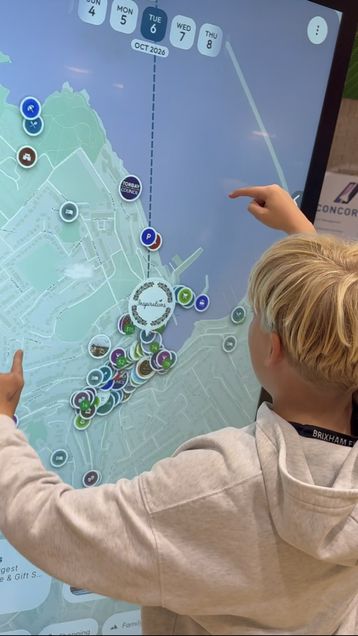
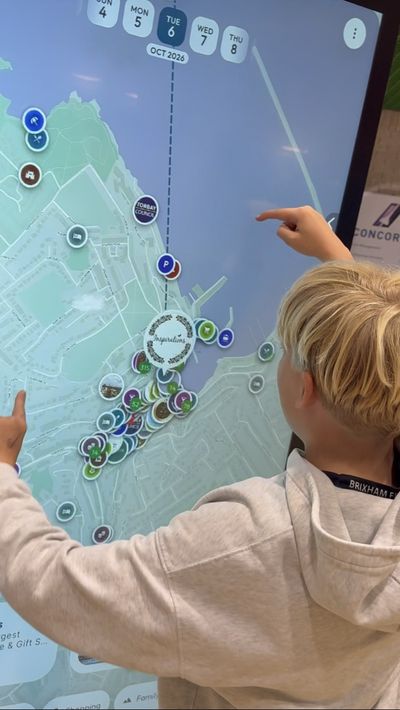
Most visitors will carry your guide on their own phone in the Mapzest app - planning the day before they arrive, finding stands as they go and keeping their itinerary afterwards. Alongside it, Mapzest Kiosks put the very same guide on large touchscreens at the entrance, in the foyer, at junctions between halls and outside the seminar theatres. Visitors walk up, search for an exhibitor or browse what's on next, and see exactly where to go; families and groups gather round the map together. App and kiosks are fed from one place, so a late change is everywhere at once.
A Kiosk That Keeps Working Between Visitors
Autopilot turns idle screens into your show's own broadcast channel
When nobody's using a kiosk, the screen doesn't sit idle. Autopilot takes over, playing through your speakers, exhibitors and coming-up round-ups - each talk shown full screen with where and when it's on, and a QR code that passers-by can scan to take it with them. The screens build themselves from the guide you've already got, so there are no slides to design and no running order to update. Touch the screen and it's straight back to the map, and it resets itself to a fresh start after each visitor walks away.
What's On, at a Glance
A live programme board that never needs reprinting
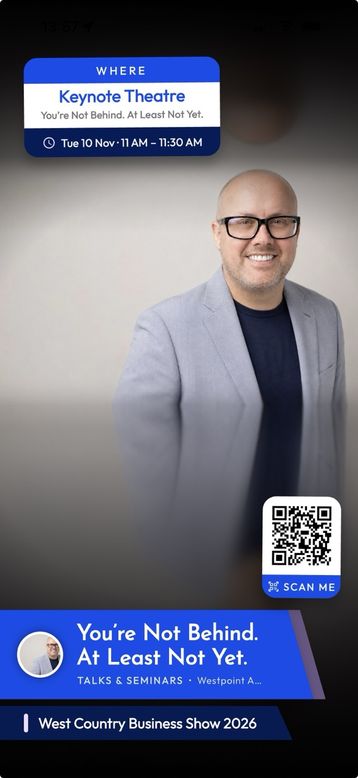
Point a kiosk or display screen at the schedule and it becomes a live programme board - every upcoming talk, workshop and session in time order, with its venue and how far away it is. As sessions finish they drop off the list, so the board is always showing what's next, not what's already happened. Visitors can tap any session for the full details, or pick it up on their phone and add it straight to their itinerary.
Found on the Web, Too
Your show listed on Mapzest Discover, with every exhibitor one click from their website
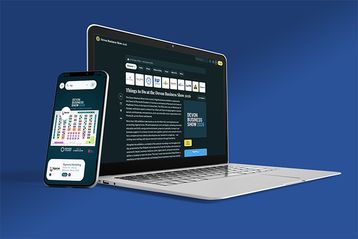
Not everyone will install an app before a show, so your event is also published on Mapzest Discover, the web version of Mapzest. Your show gets its own guide that opens in any browser - ideal for linking from your website, ticket confirmations, emails and social posts - with the exhibitor directory, schedule and venue information all in one place. Every exhibitor gets their own page with links straight through to their own website, so the guide doesn't just help visitors on the day, it sends interested people directly to your exhibitors before and after it.
Your Show as a Feed
VibeCheck brings exhibitors, speakers and every post about your event together in one place
Exhibitors, speakers and sponsors will all be posting about your show - but scattered across dozens of accounts, nobody sees the whole picture. VibeCheck pulls it together into a single Instagram feed focused purely on your event: any post from a connected Instagram account that is tagged with your show's chosen hashtag. Stand reveals, product launches and behind-the-scenes setup all land in one feed, inside the app and on the kiosks around your venue - a constantly-refreshing view of the buzz on the show floor that no single account could produce alone. Exhibitor spotlights, speaker portraits with their dates and Coming Up round-ups of the next few hours of talks sit in the same feed, so it's a great way for visitors to get a feel for the show before they arrive, or to spot something they'd otherwise have walked straight past.
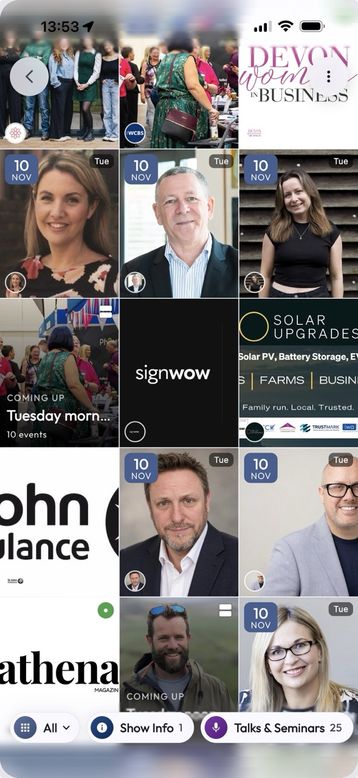
A Few More Screens From the Show Floor
Taken from the West Country Business Show 2026 guide - tap any image to see it full size
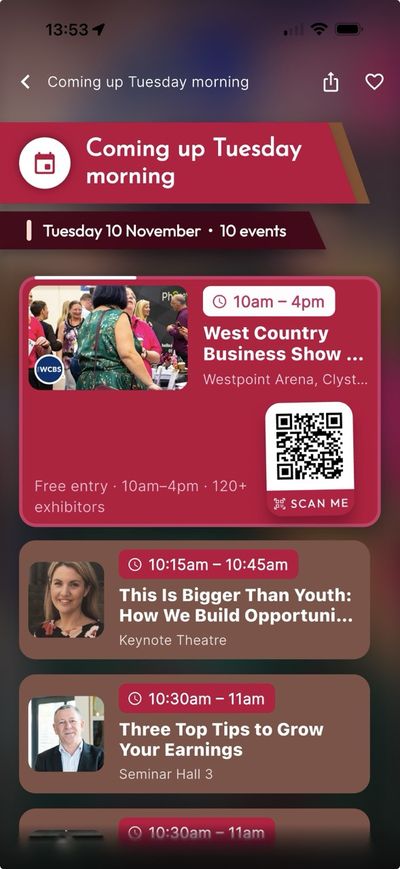
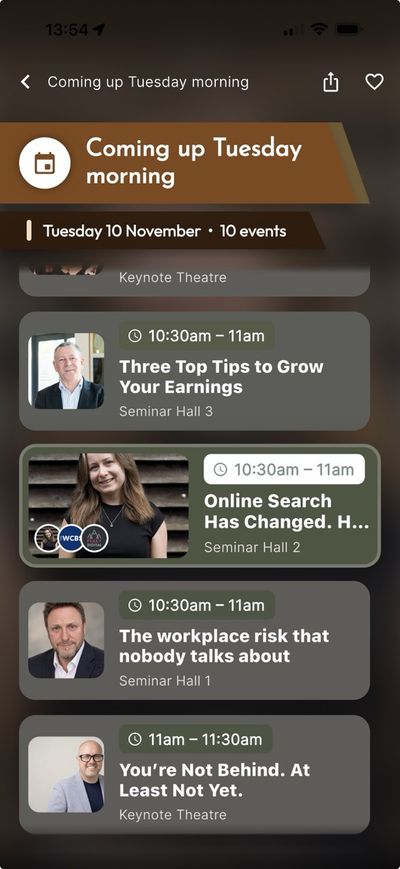

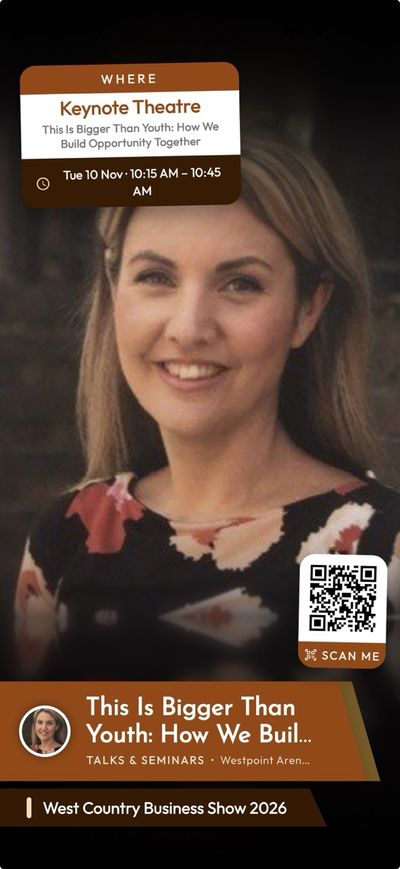
Why It Works for Everyone at Your Show
-
Visitors
Find who they came for in seconds, discover businesses they didn't know they needed and catch the talks they'd otherwise have missed.
-
Exhibitors
Get far more than a stand number - a place on the plan, a page of their own and a way for visitors to find them long after the stands come down.
-
Speakers
Get a programme slot people can actually find, and a poster to promote it with.
-
Sponsors
Get pride of place on the home screen every visitor opens.
-
Organisers
Get a guide that's quick to build, simple to keep current and never needs reprinting.
The Full Package, Handled for You
We work with your team from first conversation to opening day
We Assemble the Information
Send us what you have - floor plans, exhibitor lists, the programme, sponsor artwork, logos - in whatever shape it's in. We gather, tidy and fill the gaps, so your guide is complete and consistent.
We Set It Up and Publish It
We build your venue map, floor plans, exhibitor pages, schedule and sponsor placements, then publish your show across the app, kiosks and the web - and keep it current as things change.
Kiosks, Totems and Signage
Optionally, we can provide the viewing equipment too - interactive touchscreen kiosks, freestanding totems and display signage with QR codes that hand visitors straight on to the mobile app.
Frequently Asked Questions
Common questions from show and exhibition organisers considering Mapzest
Every show is different, so get in touch and we'll talk through what's involved for your event - the number of venues, exhibitors and sessions, and whether you'd like kiosks or signage alongside the app.
As little as you'd like. We can take your existing exhibitor list, floor plan and programme and do the rest, or your team can manage listings directly if you'd prefer to stay hands-on.
Yes, if you want them to. Your team can manage every exhibitor centrally, hand each exhibitor control of their own page, or mix both.
No. A business has one profile that can appear on every show map it exhibits at, so they update it once and it's right everywhere. Stand numbers and categories are set per show, and the profile itself doesn't name any other show.
Yes. Mapzest is the official app of the West Country Business Show 2026, with more than 120 exhibitors and 25 talks, and Devon Business Show 2026 also has its own guide on Mapzest.
Yes. Visitors can download the Mapzest app for free, or open your guide on the web without installing anything.
Sponsors and partners get pride of place in a swipeable carousel at the top of your show's home screen, the first thing visitors see when they open your guide.
Yes. Any image can become an interactive floor plan - your official layout, an architect's drawing or an illustrated map - and a space can have several levels.
Change it once and it's live straight away in the app, on every kiosk and on the web.
No, it's entirely optional. Your guide can focus purely on the show, or also feature places to stay, eat and go out nearby.
No. The mobile app and web guide work on their own. Kiosks, totems and display signage are an optional extra we can provide.
Built for the Whole Show, Not Just One Stand
-
Venues, Halls and Floors
Multiple locations on one map, each opening into multi-level floor plans with every stand marked.
-
Every Exhibitor, a Page of Their Own
Logo, description, stand and website - imported in bulk or added by hand.
-
One Profile, Every Show
Exhibitors keep a single profile and take it from one show to the next.
-
One Live Schedule
Talks, speakers, workshops and sessions in one programme, placed where they happen.
-
Sponsors Up Front
Partners and sponsors in pride of place at the top of your show's home screen.
-
Share Posters
Ready-made posters that turn speakers and exhibitors into promoters of your show.
-
A Personal Itinerary
Visitors favourite stands and sessions to plan ahead and follow up afterwards.
-
App, Kiosk and Web
One guide, kept current from one place, on phones, touchscreens and any browser.
-
The Area Around You
Optionally feature the hotels, eateries, nightlife and entertainment near your venue.
-
One Feed for the Whole Show
VibeCheck gathers exhibitors, speakers and posts about your show into a single feed.
-
Done For You
We assemble the information, build the guide and can supply the kiosks and signage.